It's a Tuesday afternoon and you're scrolling LinkedIn during the five minutes you've given yourself for lunch.
Another post about design tokens. Another case study from a design team of fifteen at a company you've never heard of. Another four-hundred-comment thread about whether Storybook is "actually the right place" for component documentation. You close the tab.
You are the only designer at your company. Your Figma file has six versions of the same card, three of them slightly wrong. A developer keeps asking where the hover state for the primary button is documented. Somewhere in the back of your mind there is a design system you know you should be building. Every LinkedIn scroll makes the weight of what it apparently needs to be a little heavier.
Most of what the internet tells you about design systems was written for a world you don't live in. It assumes a team, time, and a problem big enough to justify the complexity being recommended.
The design system that works for a team of one isn't a smaller version of the big-team one. It's a different thing altogether. Smaller, more honest about its gaps, and scoped to the people actually in the room. A design system for a solo designer should be small, practical and easy to maintain. It usually means a basic component library, shared tokens and short documentation, not a full enterprise system.
This piece is for the designers on the other side of that advice. The one-person teams. The small, stretched teams inside big organisations or enterprises. The people who need a system that actually works for them, not for a conference talk. In New Zealand, that's most of the industry.
What does a design system for a solo designer look like?
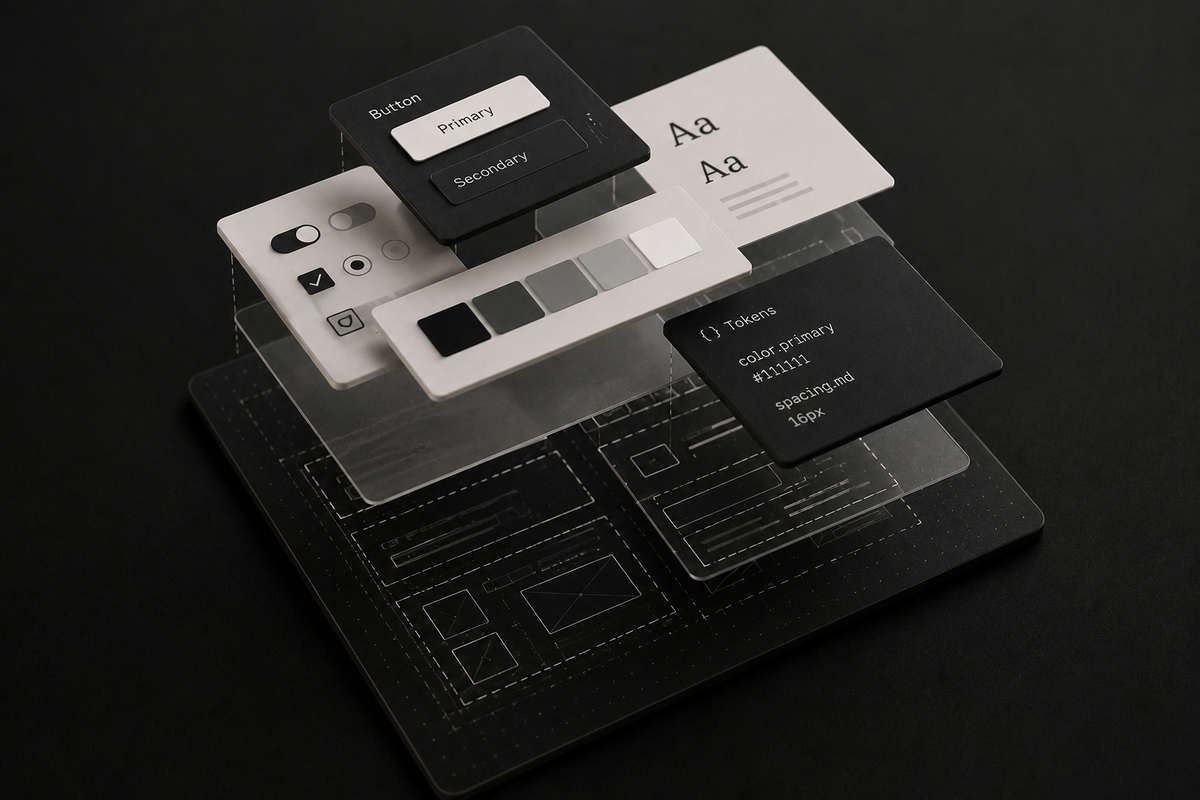
A design system for a solo designer is a lightweight collection of reusable components, design tokens and documentation that helps maintain consistency across products. Rather than creating a large enterprise system, the focus should be on solving recurring design problems, reducing duplication and keeping design and code aligned.
Key takeaways
- A solo design system should be lightweight, practical and easy to maintain.
- Start with design tokens, core components and concise documentation.
- Let code be the source of truth for what users actually experience.
- Add new components only when patterns repeat across multiple screens.
- Use AI to help document decisions, identify inconsistencies and reduce maintenance effort.
Who needs a solo design system?
A few years back, I built a proper design system: every component documented, every variation catalogued, the lot.
Then we started to build it. Components assembled from existing libraries drifted from the Figma originals. Features that were too expensive got descoped. Others never shipped. The design file and codebase no longer reflected each other, and tracking the inconsistencies became its own piece of work.
The bit that surprised me was which part got used most. Not the tidy component library. The examples page, showing components in real layouts. And the people opening it weren't designers or engineers. They were PMs, BAs and non-design folk who occasionally needed to mock up a workflow. They could duplicate a tested component, tweak the variables, and get a credible prototype out in an afternoon. The Figma file had become a playground for people without design tools of their own.
The first question anyone starting a design system should ask is: who is this actually for? If the answer is "future people who might join", stop. That's a speculative artefact, not a design system.
For a solo designer, the real audience is almost always these three groups:
- Future-you. The version who, in six months, will forget why the card component has three variants.
- The three to five engineers you work with every day.
- The non-designers around you (PMs, researchers, BAs) who sometimes need to mock up a flow. A Figma file built well enough for them to poke at without breaking anything is a disproportionate win.
That's it. When your audience shrinks to the people actually in the room, the job shrinks with it.
And sometimes the honest answer is that you don't need a "design system" at all. You need a small component library, a short doc, and a shared place for tokens. Naming a handful of components a "design system" invites the aspirational over-building that makes solo designers quietly burn out.
How to scope a design system properly
Knowing who your system is for is easy to say and hard to defend. Most solo designers aren't over-building out of pure choice. Somewhere upstream, a manager or founder has read a case study and decided the company needs a proper design system. What you've inherited isn't a brief so much as a secondhand ambition.
The shift that usually works is to reframe the question. "Do we need a design system?" almost always gets a vague yes. The better question is "what's the smallest one that would serve us this quarter, and what would the full thing actually cost?" Specifically:
- "The full thing (tokens, components, documentation, governance) is roughly six months of my time, during which I'd be doing less product work."
- "The version that solves eighty percent of that, I can ship in three weeks and keep shipping features alongside it."
- "Which one would you rather I start with?"
Framed like that, most reasonable stakeholders pick the smaller version. What they actually want isn't a "proper design system". It's consistency across the product, and they've been told the two are the same. They're not. Consistency can be achieved with a handful of tokens, a dozen components, and a one-page doc. A proper design system is a larger, mostly optional commitment on top.
Have this conversation before you start building. Scoping down at the start is easier than explaining halfway in why the thing you were asked to build isn't happening.
Why there is no single source of truth
Somewhere in every design-system conversation, someone says the words "single source of truth", and everyone nods. What's less often said: it's a lie. A well-intentioned one.
Truth lives in several places at once. In Figma, where you're deciding what comes next. In code, where users actually experience the system. In the Slack thread where someone asked about a disabled state three months ago and the answer was buried in a reply. Pretending all of that collapses into one authoritative file is a tidy story that falls apart in the first week.
Two rules. That's it:
Code is authoritative for what users experience. Figma is authoritative for what you're deciding next.
If Figma and code disagree, code wins. It's what your users are using. Changes start in Figma and land in code. The two don't need to be identical; they need to know their job.
On one project, we had a button in three slightly different forms. One in Figma, one in the coded library, and one a developer had built inline because the library version didn't quite fit. When someone new asked "which is the real one?", neither of us had a clean answer.
The answer we now always give: whichever one is in production. If it's wrong, we fix it. If it's right, we update Figma to match. Enforcing parity in both directions is how solo designers lose their weekends, and exactly the kind of work you shouldn't be doing by hand any more.
The Documentation Trap
Design-system docs get scanned more than they get read.
People open a doc, scroll for the one thing they need, give up if it isn't obvious, and ask in Slack instead. Developers read docs when they're stuck or onboarding. The rest of the time they scan. If your page doesn't answer in fifteen seconds, they guess.
The case for spending half your week writing a Notion site almost nobody opens is weak.
The documentation worth writing covers three things per component:
- Why it exists. What problem does this solve that couldn't be solved by something you already had?
- When not to use it. The one thing a developer will get wrong unless you tell them.
- What exceptions are already live. The places you broke your own rule, so the next person knows it's not a mystery, it's a decision.
A few sentences for simple atoms. More for components with real complexity: a data table, a date picker, a form control. But not an essay.
You also don't have to write this yourself any more. AI agents with access to your Figma file and codebase can draft "why it exists" and "when not to use" pages from the components themselves. You still edit and sanity-check, but the blank page has stopped being the problem.
What you're aiming at is an honest record, one that documents the mess rather than pretending it isn't there. The primary button has a one-off variant on the login page because the brand team asked nicely. The card component is probably about to be deprecated. Honest documentation is shorter than aspirational documentation, and it gets read more often.
What can you skip in a small design system?
Before adding any artefact, ask: does this exist because someone will use it, or because someone says I should have it? Most of what feels like obligation is the second thing in disguise.
A partial list of things the internet will tell you a proper design system needs that you almost certainly don't:
- A full token hierarchy with primitive, semantic and component layers. Fine idea on a big team. On a solo system, a flat list of fifteen or twenty tokens will take you further than you'd expect. Ask your devs what variables they're already using, and match yours to theirs. Add more when a real pattern forces you to.
- A Storybook instance for every variant. Unless your developers are actively using it to build, it's a maintenance burden dressed as documentation.
- A "design principles" page that reads like a mission statement. If your principles can't fit on a sticky note and change how you make decisions, they're decoration.
- A naming convention debate that takes a week. Pick something reasonable and move on. You can rename later; you can't rewind the week.
- Componentising every pattern in your product. Most things that look like patterns only appear once or twice. Unless a pattern is genuinely reused, it's cheaper to let the code live where it is than to extract it into a shared library.
Skipping these isn't cutting corners. It's refusing to take on work that doesn't pay its way.
How should Figma and code stay aligned?
Every design system drifts.
Code and Figma will disagree. A developer will add a one-off variant on a Friday. You'll update a token in Figma and forget to push it to the shared library. A component will get copied, tweaked, and left for six months. Two-person teams, two-hundred-person teams. Systems do this under pressure.
The real question is what to do about drift when it happens.
Sync different things on different cadences:
- Tokens: monthly, or when something obviously breaks. Colours, spacing, typography. These should match, since they set the visual baseline for everything else.
- Components: only when you're already touching them. No mass-reconciliation missions. If you edit a button to ship a feature, bring the Figma version along. Don't audit the whole library.
- One-off variants in real product pages: often, just leave them. If it's been stable for six months, it's probably paying rent. Flag it in the exceptions list, and move on.
The first two are exactly what AI agents are now good at watching. You don't have to be the human diff tool any more. A weekly scan against your Figma library and production code will surface most of the divergence, and you decide what's worth fixing.
Making Figma and code perfectly consistent is a lovely instinct and a terrible use of your time. Your job isn't to preserve the system. It's to ship work that holds up.
AI is reshaping the job, not just the maintenance
Until recently, maintaining a design system was a full-time job in disguise. Tokens to sync, components to audit, specs to write, drift to catch. Each task small on its own. Together they ate your week.
Figma's Dev Mode MCP server and the agents built on top changed the maths. Reading design metadata, spotting inconsistencies, generating documentation, keeping tokens aligned. Uber wrote about spec generation at scale: a process that used to take weeks now takes minutes.
That's only the maintenance half. Coding agents like Claude Code now spin up working components from a sentence. The primitive libraries small teams reach for, like shadcn/ui built on Radix Primitives, are designed to be copy-pasted and tweaked, not installed and preserved. The centre of gravity is shifting from building and maintaining the library toward curating what the tooling produces.
That reframes the solo designer's position. The case for a small, honest system isn't just that you're overwhelmed. It's that the expensive parts of the old job are being done elsewhere. A small, honest one fits the current tooling, and whatever shows up next.
Three jobs worth spending your prompt budget on:
- Generating component specs automatically instead of writing them by hand.
- Auditing for drift between Figma and code without running the diff yourself.
- Keeping tokens honest. Grunt work that's pure tax when done manually.
None of this replaces judgement. An agent won't decide whether your card component is a good idea, or when a pattern is ready for the system. But the work that used to take days is now tractable in a few prompts.
Agents also work best on a system that's honest. A small, well-documented library with known gaps beats a sprawling "pristine" one full of undocumented exceptions. As Murphy Trueman put it, AI doesn't need your design system to be perfect. It needs it to be honest.
When should a design system grow?
The other half of "keep it small" is knowing when to add. A pattern earns its place when it's come up three times (not once, not twice), when a developer has asked twice where it lives, or when you find yourself rebuilding the same thing in slightly different ways. Until one of those signals fires, it lives in the product, not the system.
Build the system your team actually needs
Next Tuesday afternoon, when you're scrolling LinkedIn during lunch and someone's explaining how they built a nine-layer token architecture for their two-hundred-person team, you'll be able to close the tab without the weight. You built the thing your team actually needed. The rest of it can stay on LinkedIn, where it belongs.
Need help turning messy product patterns into a practical design system? MadeCurious helps teams design, build and maintain digital products that hold up in the real world.
FAQs
Do I need a design system if I'm the only designer?
Probably not the version you're picturing. What you need is a small component library, a handful of shared tokens, and a short doc that's honest about exceptions. That's enough for a team of one. A full design system with governance, principles pages and token hierarchy is a commitment that belongs on a team with the people to maintain it.
How do I start a design system when I've got no time?
Three steps. Start with tokens: ask your developers what variables they're already using in code and match yours to theirs. Then list a dozen or so components you reach for most often in real product work. For each, write three lines: why it exists, when not to use it, and any exceptions already live. Anything beyond that is optional.
Should I use Storybook for documentation?
Only if your developers are actively using it to build. If they're not, it's a maintenance burden dressed as documentation. For a solo designer, a short page per component covering why it exists, when not to use it, and what exceptions are already live is usually enough.
What's the "single source of truth" for a design system?
There isn't one. Trying to enforce one is a black hole for time you don't have. Code is authoritative for what users experience. Figma is authoritative for what you're deciding next. If they disagree, code wins.
How is AI changing what a design system needs to be?
The expensive parts of maintaining a design system, which are syncing tokens, auditing components, generating specs and catching drift, are increasingly being done by tooling. That reframes the solo designer's job from building and preserving the library toward curating what the tooling produces. It also means a small, honest system now beats a large "pristine" one, because agents work better on an honest record than a misleading one.
When should I add a new component to the system?
When a pattern has earned its place. A reliable signal is three appearances, not once, not twice. Or when a developer has asked twice where it lives. Or when you find yourself rebuilding the same thing in slightly different ways. Until one of those fires, the pattern lives in the product, not the system.