Markdown Project Management: Keep Docs in Your Codebase
Markdown project management keeps documentation inside your codebase, reducing drift and keeping teams aligned. This approach is gaining traction with AI tools.
Imagine your team has inherited a new application to build on and maintain. You have the codebase in front of you and you want to understand the decisions that shaped it. The README is sparse. Maybe some other supporting documentation came across with it? The team is not sure where it is, and what they have found seems so out of date to be effectively useless.
We have seen this scenario play out quite a few times in 25 years at MadeCurious. Our pains centre on a simple problem: key decisions, context, and requirements were documented somewhere other than where people actually did the work. That gap created drift, missed context, and a lot of avoidable rework.
And while we have been slowly iterating and improving on our own approach and tooling to fix this, our adoption of Claude Code has pushed us to rethink project management faster than any tool before it.
This article explores some of these previous pains and how we are rethinking our ways of managing projects. While we are currently using Claude Code at MadeCurious, these new approaches are very much AI-tool agnostic.
Fair warning: this is experimental and still very much a work in progress!
The discussed approach combines markdown documentation, version controlled documentation, and AI in project management to reduce drift and improve delivery.
Why traditional project documentation fails
A lot of thinking goes into building good software. Most of it gets documented. Somewhere. The initial scope document lived in a document in a poorly named Google Drive folder. Initial process maps and user journeys were developed in Miro, before being incorporated into Figma designs. User stories captured in Jira. Risks flagged in a RAID spreadsheet. Implementation decisions captured as in-line codebase comments. Release notes in Confluence. And decisions and relevant conversations across all of this lived in Slack, Teams, and Gmail.
No wonder artefacts drifted over time. No wonder context was hard to find. And harder still to make sure it was actually reflected in the software. The more context we tried to capture and document, the harder it became to maintain.
Why context gets lost in software projects
MadeCurious is trusted to look after our partners’ applications for a long time - upwards of a decade in some instances. Inevitably that means people involved with the design, development and maintenance of the application change. That’s both on our side and the partner's side.
We also sometimes hand back a codebase to the partner, to their team who were not involved in any of the design or build. While we have a staged onboarding approach to this handover, and share as much documentation as possible, some context always gets lost.
Why was this particular architectural decision made four years ago? Who knows.
What is documenting close to the source
We have been trialling a new approach on a new app build, shifting towards markdown documentation in software projects by moving artefacts directly into the codebase. This builds on our long-held principle of documenting as close to the source as possible. In our case, the source is the codebase itself.
Historically, capturing artefacts like architectural designs, user stories, or RAID logs within the codebase has been difficult. It relied on technical ability across the team and made it harder to create readable outputs for partners. As a result, documentation often lived elsewhere, disconnected from the work itself.
AI tools are changing that. It is now far easier for both technical and non-technical team members to work within a codebase. These tools can also generate clear, human-readable outputs from raw markdown, making it easier to share context with partners without duplicating effort.
The shift is simple in principle. Instead of spreading documentation across multiple tools, everything lives alongside the code. This keeps context close, reduces drift, and ensures the team is always working from the same, up-to-date source of truth.
Why use markdown for project documentation?
Markdown is readable by humans and machines alike. It requires no special tooling to open and edit. It travels with the codebase - when the repo moves, the documentation moves with it. And because it's in the repo, it's version controlled. When scope changes, that change is committed, reviewed, and traceable. Any engineer who clones the repo has immediate access to the full context of the engagement, from day one.
Because it lives in the repo, it becomes version controlled documentation, where every change is tracked and easy to follow.
There is no separate spreadsheet to find. There is no wiki to remember the URL for. It is all there, in the same place as everything else.
How AI makes project documentation actionable
Documenting artefacts in markdown keeps everything in one place - but it also changes how we actually use them.
The SKILLS for a project are configured to check against these markdown documents for consistency. Before code gets written, or a decision gets made, AI interrogates what has already been captured. Does this implementation match the acceptance criteria in the user story? Was this flagged as a risk in the RAID log? Is there an open question in the scope document that should be resolved before proceeding?
The documents stop being passive references and become active constraints on the build.
Because they are updated as decisions are made the team is always working against current context rather than a snapshot from weeks or months ago.
We also connect our Figma designs via the Figma MCP. This means the AI tools can cross-reference the designs against the documented requirements and flag anything that hasn't been designed for - or acceptance criteria we've simply forgotten to write. It has become a useful safety net for the context loss that used to slip through unnoticed.
How project management roles are changing
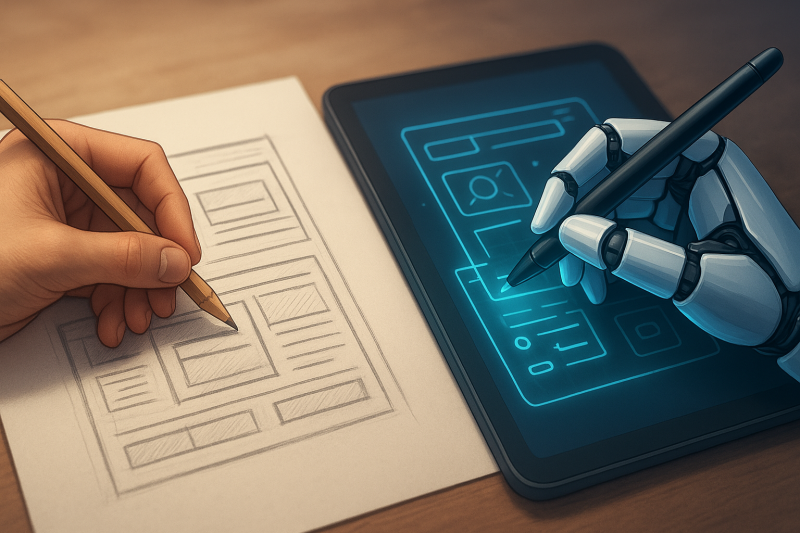
In a world where AI tools are rapidly lowering the barriers to working with code and code-adjacent tooling, there is less and less justification for "I'm not technical" as a position statement in a non-engineering role. I have been somewhat surprised at how persistent this position has been across our industry up until now.
At MadeCurious we have been on the trajectory towards more technical project managers, designers, and business analysts for some time. Our adoption of Claude has just fast-tracked things.
But this also comes with a need for empathy and support for quickly changing role expectations. MadeCurious has been providing a range of training and upskilling for both engineers and non-engineers in AI tool adoption. We are lucky to have Joshua Vial, one of our directors, who is a leading AI development educator in Aotearoa. His pragmatic courses are shaping a new wave of project managers and designers.
We are not trying to turn everyone into software engineers. Nor are we replacing engineers. Instead we are developing much stronger shared empathy and a clearer common vocabulary across the whole team.
Decentralised documentiation ownership
Previously a lot of context had to flow through a single person. The PM or BA was the keeper of the artefacts. They knew where the RAID log lived. They updated the relevant user stories. But even when that person was excellent at their job, they were a bottleneck.
However, with all the documentation now in the code repo, those closest to the implementation decisions can easily update it. This empowerment fits with how we think teams should work at MadeCurious.
This decentralised ownership does come with some risks. One consequence is that decisions and changes can happen quickly and it can be hard to keep track of everything that is going on. Thankfully AI tools can quickly summarise recent changes across the repo, which helps keep everyone across what has shifted.
Why slower documention improves delivery
Another consequence is that the check in process means adding new content to existing documents is slower. What used to be a quick edit to a spreadsheet row now has to go through the git commit process. It may take an hour or two for these edits to be captured in the codebase.
But this friction can also be an advantage. A commit touching a scope document or RAID log creates a natural checkpoint. It tends to get additional eyes on it, often engineering eyes, which means scope changes and important decisions get a level of review they might not have had before. The document update process also involves asking our AI tools to check whether the proposed change conflicts with any other existing documentation. Previously the consequences of a decision made by the project manager may not have surfaced for weeks or months. Now the feedback is almost immediate, prompting further consideration.
The slowdown is, in practice, a forcing function for cross-team alignment. And this means we are seeing genuine increases in speed and quality over the longer term.
Why discipline matters more than tools
This approach requires the team to maintain it. While AI tools help flag inconsistencies, prompt for missing acceptance criteria, and check decisions against documented scope, they still require decisions to be thought through and documented in the first place. This is still a human job.
What we have found is that putting documentation in the repo raises the stakes in a good way. When it is version controlled alongside the code, letting it drift starts to feel like technical debt. People notice and the team holds itself to a higher standard because the evidence of neglect is right there alongside everything else.
The deeper shift is cultural. The distance between technical and non-technical roles is shrinking - not just at MadeCurious, but across the industry. AI tools are accelerating that convergence. Our response has been to lean into it: to build ways of working that treat project documentation with the same rigour as code, that give the whole team access to the same context, and that make the reasoning behind a project as findable as the project itself.
This is all still very much a work in progress. We are learning and iterating on our approach week-by-week. But so far, it is proving to have a massive upside!
FAQ on markdown-based project management
Why store project documentation in the codebase rather than a separate tool?
When documentation lives alongside the code, it travels with the project. Every engineer who clones the repo has immediate access to the full context of the engagement. It is version controlled, so changes are committed, reviewed, and traceable. There is no separate wiki to find, no spreadsheet to track down, no Confluence page that has not been touched since the project started.
What kinds of project artefacts can actually live in markdown?
Most of them. User stories, RAID logs, architectural decisions, scope documents, terms and conditions, open questions, release notes. Markdown is readable by humans and machines, requires no special tooling, and can be converted to a polished external document whenever a partner needs it. If it can be written down, it can live in the repo.
How does this work with AI tools like Claude Code or Copilot?
The markdown documents become active constraints on the build rather than passive references. Claude Code is configured to check implementation decisions against the documented scope, flag whether a proposed change conflicts with existing requirements, and prompt for missing acceptance criteria before code gets written. The documentation isn't consulted after the fact, it is part of the build process.
Does adding documentation to git slow the team down?
Maybe a little... and that is often a feature rather than a bug. A commit that touches a scope document creates a natural checkpoint. It tends to get additional eyes on it, which means scope changes and important decisions get reviewed in a way they often did not when they lived in a spreadsheet. The short-term friction tends to produce faster, better-aligned delivery over the length of a project.
What does this mean for non-technical team members?
The barrier to working with markdown and git is lower than it used to be, particularly with AI tools that can explain syntax, generate content, and help with commits. The goal is not to turn product/project managers into engineers. It is to build a shared vocabulary and shared access to context, so decisions do not have to flow through a single person and institutional knowledge does not walk out the door when someone leaves the team.